Autopilot Use in IFR
Objective
Understand and apply the different autopilot modes, how the autopilot operates, and how it's effective use in an IFR environment.
Timing
30 minutes
Format
Overview
- Effective use of the autopilot
- Autopilot Documents
- Mode Annunciations
- Lateral Modes
- Vertical Modes
- Approach Modes
- Specific scenarios
- How to use VNAV Mode
- Fully-Coupled Go-Around
Elements
Effective Use of the Autopilot
- Workload reduction.
- Allows you to focus your attention elsewhere (ATC, briefing and approach, programming avionics, dealing with passengers).
- Spatial disorientation mitigation via LVL button.
Autopilot Documents
- Retrofit autopilots are installed per an STC.
- GFC 500 Pilot's Guide.
- GFC 500 AFMS (must be in the plane).
Panel diagram
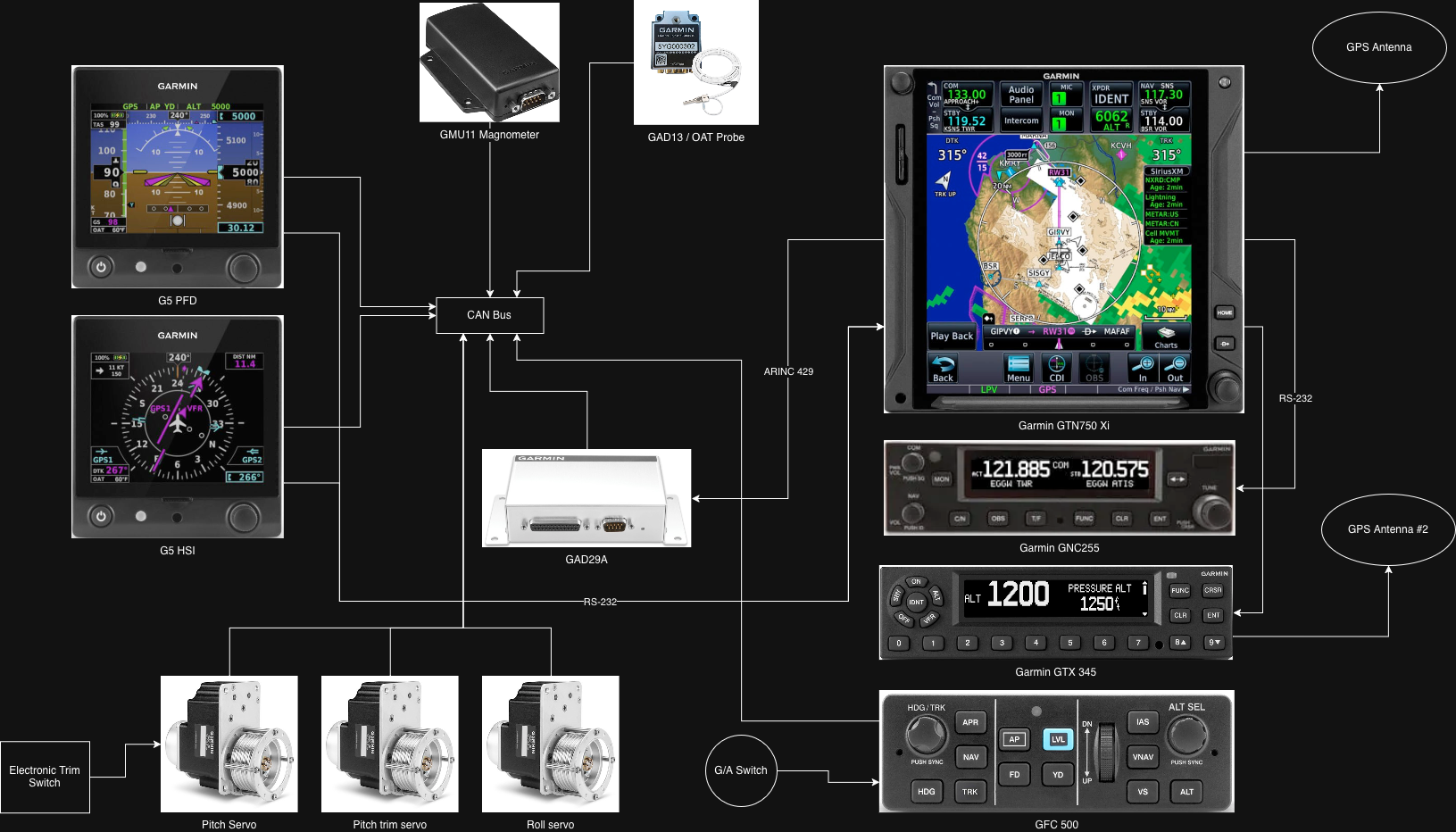
Mode Annunciations
- Green indicates an active mode.
- White indicates an armed mode.
Initial Mode Activation
- Illustrations of initial mode activation cues.
Lateral Modes
- Refer to AFM
Vertical Modes
- Refer to AFM
Approach Modes
- APR follows glideslope and localizer, capturing glideslope only from below.
- NAV mode can be used for approaches without vertical guidance.
How to Use VNAV Mode
- Ensure altitudes are configured on the GTN.
- Ensure CDI is in GPS mode.
- Set altitude preselect to the clearance limit.
- Press VNAV to arm (white VNAV annunciation).
- Expect the "Vertical Track" alert one minute before top of descent.
- Intermediate level-offs present with ALTV annunciation.
- VNAV will not capture a descending profile unless the selected altitude is valid and at least 75 feet below current altitude.
Fully-Coupled Go-Around
- Set missed approach altitude in the preselect.
- At the go-around point, press the GA switch twice to engage G/A (7° pitch-up, wings level).
- Transition to IAS or VS to meet missed approach altitudes.
- Transition to NAV or HDG to track the missed procedure.
Summary
- Use the autopilot to shed workload in a busy cockpit.
- Guard against mode confusion, especially PIT and ROL modes.
- VNAV requires the altitude bug set below current altitude at the final target altitude.
- Glideslopes only capture from below.
- G/A mode commands 7° nose-up with ALT mode armed.